
100% Coverage
We guarantee full coverage for desktop & mobile worldwide with real-time optimization models that deliver long-term and constant revenues.

Revenue Optimization
Programmatic and robust ad optimization technology, powered by AI and designed to maximize your revenues for both mobile and desktop.
JS Tags or XML
We help tens of thousands of publishers to optimize their traffic via various implementation models, all available via our self-serve publisher control panel.

Smartlink
Easily monetize your traffic by sending it to our direct link with no hassle. Our smartlinks are CPC-based and support all geos and all devices.

Monetize Everything
Websites, toolbars, extensions, mobile apps, search and domains - we help to monetize everything with safe ads and high eCPMs.

Safe Ads
We take ad safety very seriously and all ads are scanned 24x7 by our compliance team, internal and 3rd party tools. We keep you safe!

$10 Minimum Payment
Even if you have a small website that generates revenue slowly, with us you get paid faster. We pay by PayPal, Bitcoin, wire and check.
Ad Formats
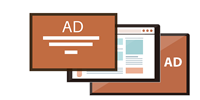
Display banners, pop unders, sliders, smartlinks, XML and programmatic - our ad formats are designed to fit any kind of traffic.